
经过我们的努力,python也支持调用了。快来回答
2 Answers
卸载uv
查询uv 安装路径
-
cmd输入
where uv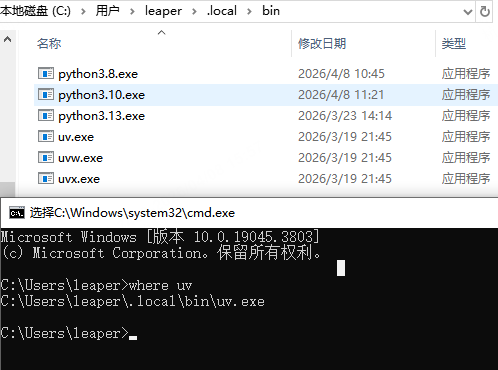
-
清除uv存储数据

-
卸载uv 安装时我采用了PowerShell 故此处一致
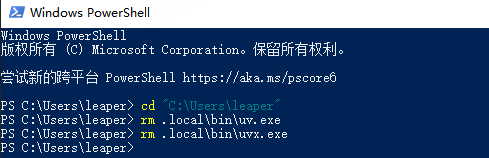
-
cmd验证是否成功删除
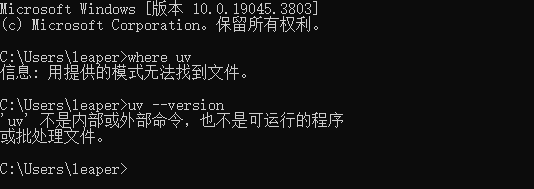
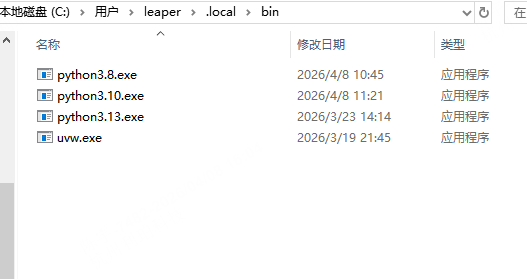
安装uv
-
使用PowerShell 安装,微软自带
powershell -ExecutionPolicy ByPass -c "irmhttps://astral.sh/uv/install.ps1 | iex"

创建虚拟环境
-
在自己选择的目录下创建一个文件夹
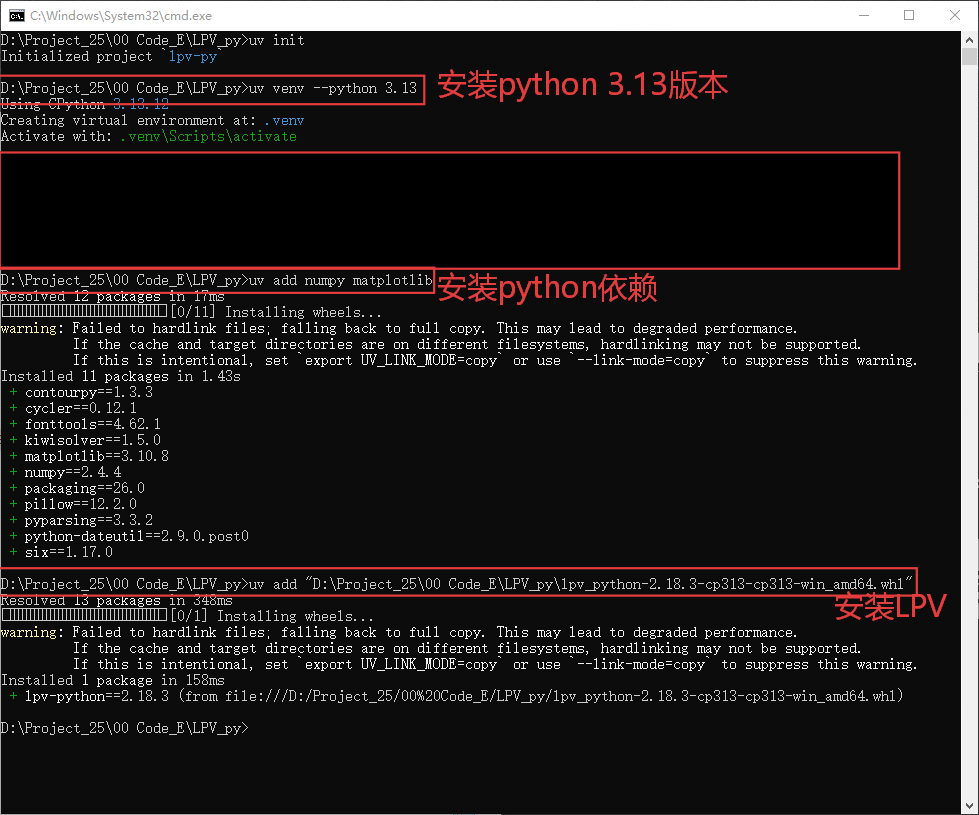
-
在初始化uv后,安装python依赖前,先替换清华源
[[tool.uv.index]]
url = "https://mirrors.tuna.tsinghua.edu.cn/pypi/web/simple/"
default = true # 设置为默认源,取代官方 PyPI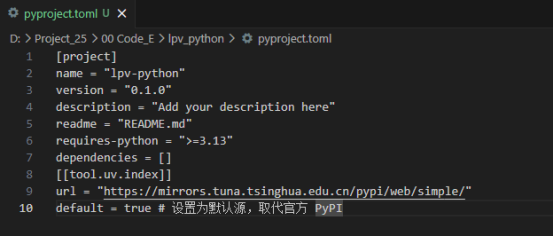
-
查看依赖、LPV是否安装
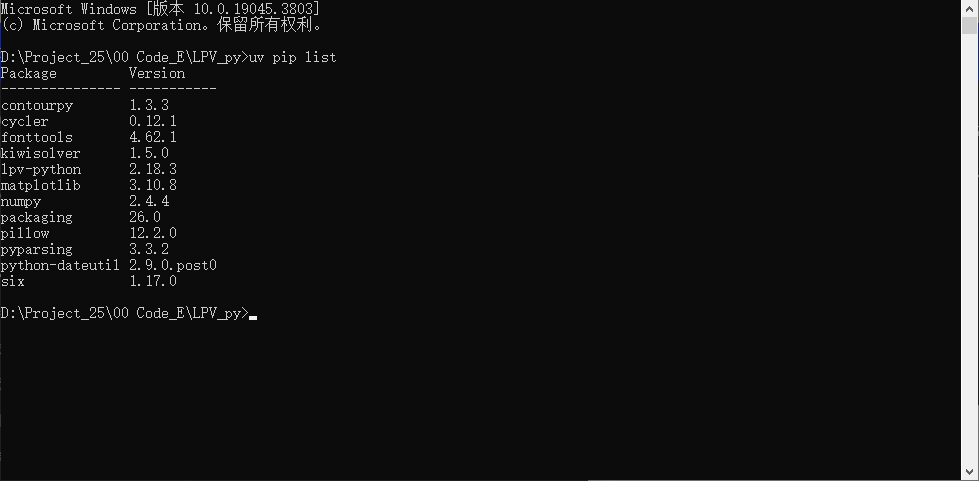
-
选择对应虚拟环境解释器
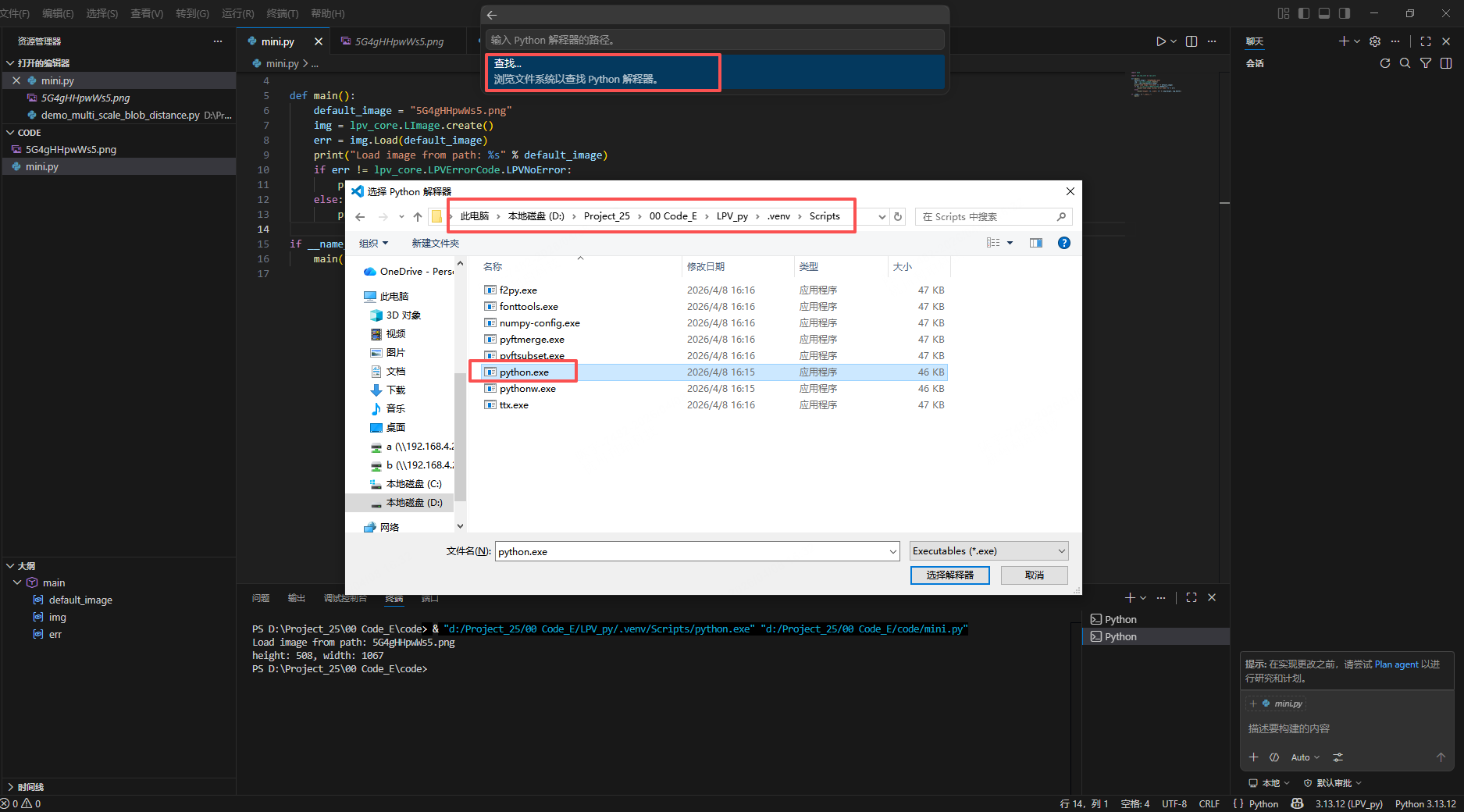
-
测试代码
import math

import lpv.lpv_core as lpv_core

def main():
    default_image = "5G4gHHpwWs5.png"
    img = lpv_core.LImage.create()
    err = img.Load(default_image)
    print("Load image from path: %s" % default_image)
    if err != lpv_core.LPVErrorCode.LPVNoError:
        print("Load image failed, error code: %d" % err)
    else:
        print("height: %d, width: %d" % (img.Height, img.Width))

if __name__ == "__main__":
    main()
参考资料
lpv会提供对应版本的lpv python api(目前试用阶段只提供了lpv_sdk_2.18.3.0版本对应的python api),提供的方式是以一个whl包的形式提供给用户,比如lpv-2.18.3-cp310-abi3-win_amd64.whl;
用户本机装好python后,拿到whl包,执行“python -m pip install xxx.whl”命令进行安装,lpv接口就会以python扩展包的形式安装到python的扩展包目录下(一般位于Lib\site-packages\路径下,可以看到存在lpv扩展包);
此时可以编写py脚本,通过from lpv.lpv_xxx import XXX来正常使用lpv中的类。